sherion
A high-performance cross-platform terminal emulator written in Rust — GPU-accelerated rendering with wgpu/vello, tabs, splits, and ConPTY support.

Sherion
A high-performance, GPU-accelerated terminal emulator written in Rust.



Install · Features · Configuration · Build from source · Feature inventory
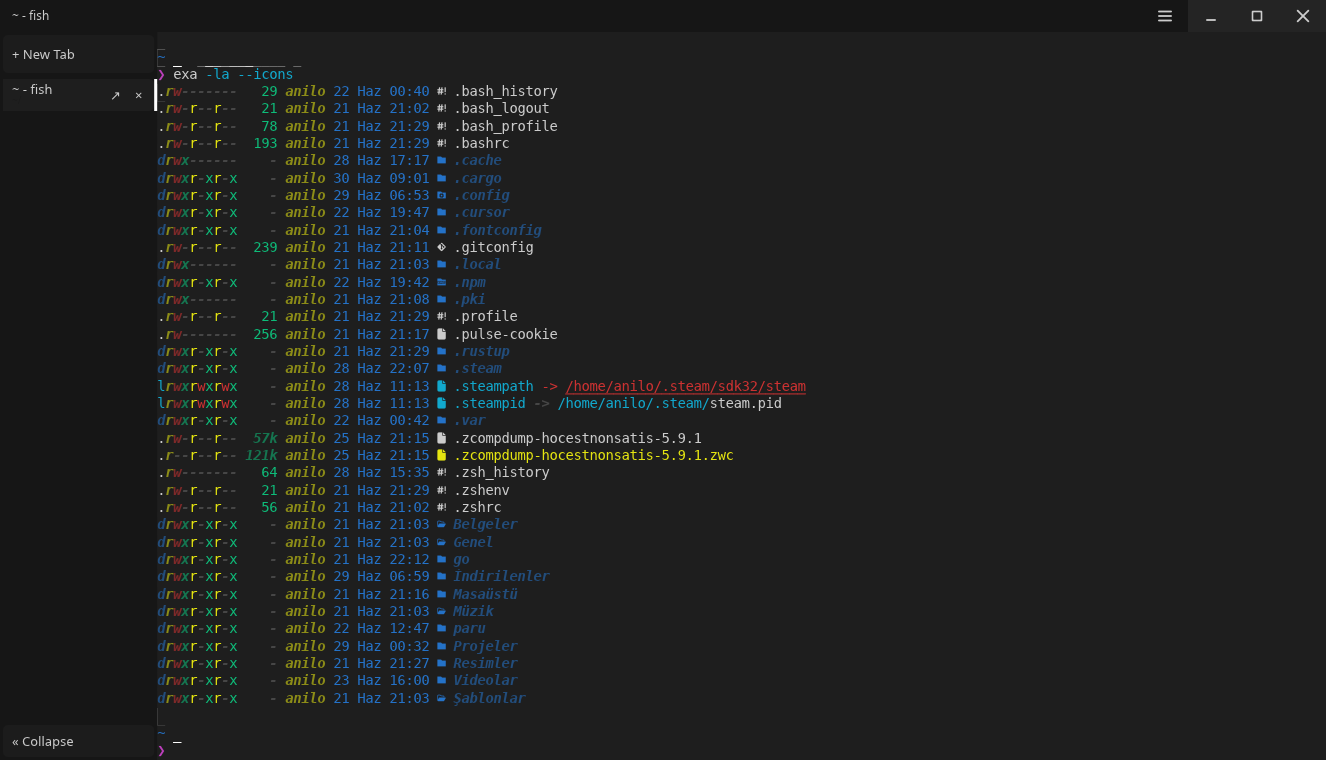
Sherion is a modern terminal emulator built on winit, wgpu, and vello — with a custom title bar, tab sidebar, split panes, GPU text rendering, and full VT/ANSI compatibility via alacritty_terminal.
Features
| GPU rendering | vello + wgpu pipeline with dirty-row tracking, glyph atlas, and ligatures |
| Tabs & splits | Sidebar tabs, detach to window, real split panes with mouse resize |
| Search | Full scrollback search with regex, case sensitivity, and whole-word match |
| Input | Kitty keyboard protocol, bracketed paste, IME, configurable keybindings |
| Mouse | SGR / X10 reporting, OSC 8 hyperlinks, rectangular selection |
| Config | TOML config with live reload, profiles, themes, and session restore |
| Cross-platform | Linux, macOS (Intel & Apple Silicon), Windows (ConPTY) |
See the full feature inventory for a detailed compatibility checklist.
Install
Pre-built binaries are available on the Releases page.
Linux / macOS
curl --proto '=https' --tlsv1.2 -LsSf \
  https://github.com/hocestnonsatis/sherion/releases/latest/download/sherion-installer.sh | sh
Windows (PowerShell)
irm https://github.com/hocestnonsatis/sherion/releases/latest/download/sherion-installer.ps1 | iex
Windows (MSI) — download sherion-x86_64-pc-windows-msvc.msi from Releases.
macOS (Homebrew)
brew install hocestnonsatis/tap/sherion
Requires the hocestnonsatis/homebrew-tap repository and HOMEBREW_TAP_TOKEN secret on the main repo for automated formula updates.
Linux (.deb)
Download sherion_*_amd64.deb from Releases, then:
sudo dpkg -i sherion_*_amd64.deb
Linux (.rpm)
Download sherion-*.rpm from Releases, then:
sudo dnf install ./sherion-*.rpm
Linux (Flatpak)
Download sherion-x86_64.flatpak from Releases, then:
flatpak install --user sherion-x86_64.flatpak
Linux (AppImage)
Download Sherion-x86_64.AppImage from Releases, make it executable, and run:
chmod +x Sherion-x86_64.AppImage
./Sherion-x86_64.AppImage
Quick start
sherion
Enable debug logging:
RUST_LOG=sherion=debug sherion
Use a profile:
sherion --profile dark
Configuration
Sherion reads config from (in order):
SHERION_CONFIGenvironment variable~/.config/sherion/sherion.toml(or$XDG_CONFIG_HOME/sherion/sherion.toml)./sherion.tomlin the current directory (legacy fallback)
Copy or edit sherion.toml as a starting point. See SECURITY.md for hardening guidance.
SHERION_CONFIG=/path/to/sherion.toml sherion
Key sections: [font], [colors], [terminal], [appearance], [ui], [keybindings], [profiles.*].
Build from source
Requirements
- Rust 1.88+
- GPU with Vulkan, Metal, DX12, or a compatible wgpu backend
- A monospace font (DejaVu Sans Mono, Liberation Mono, or Noto Sans Mono)
git clone https://github.com/hocestnonsatis/sherion.git
cd sherion
cargo build --release
./target/release/sherion
Optional SIMD UTF-8 acceleration:
cargo build --release --features simd-utf8
Stack
| Layer | Crate |
|---|---|
| Window + events | winit 0.30 |
| GPU | wgpu 29 |
| Terminal core (grid, VTE, PTY) | alacritty_terminal 0.26 |
| Text shaping | parley 0.10 |
| GPU rendering | vello 0.9 |
| Config | serde + toml |
Architecture
PTY I/O runs on a dedicated alacritty_terminal event-loop thread, isolated from the UI. The winit main thread shapes text with parley, builds vello scenes, and presents frames through wgpu with dirty-row damage tracking.
┌─────────────┐     MPSC      ┌──────────────────┐
│  PTY thread │ ────────────► │  winit UI thread │
│  (blocking  │               │  parley + vello  │
│   read)     │ ◄──────────── │  + wgpu present  │
└─────────────┘   input       └──────────────────┘
License
MIT